


Junk Cleaner Pro
4.2286.00 Reviews
App Specs
- Version
- 1.0.16
- Updated On
- License
- Free
- Downloads
- 1,000,000+
- Developer
- ByteWizard
- Categories
- Tools
- Platform
- Android
Screenshots
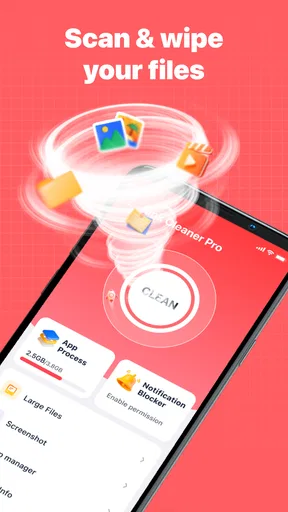
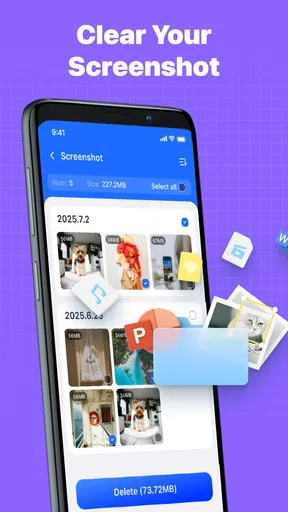
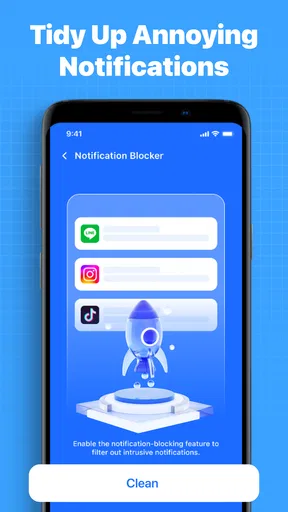
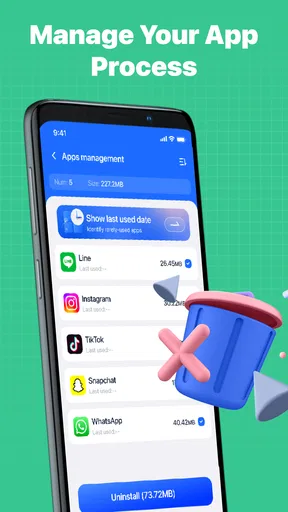
 Analysis by AppCompare
When my Android phone starts feeling crowded, I usually want a simple answer to one question: what can I remove without causing a new problem? Junk Cleaner Pro is built for that everyday tools category, with a clear focus on cleaning unwanted files rather than trying to become an all-purpose phone manager. I found the appeal easy to understand: open it, inspect what it identifies, and decide what is safe to clear.
That simplicity makes it approachable for a first-time user, especially someone who does not want to search through Android’s storage menus manually. At the same time, a cleaner app deserves a little caution. “Junk” is not always obvious, and freeing space is useful only when the review step is understandable. My experience with this app is best described as convenient for routine housekeeping, but worth using deliberately rather than treating every suggested deletion as automatically harmless.
What to expect from the cleaner
Junk Cleaner Pro is a free Android tools app from ByteWizard. It has an average rating of 4.2 from around 3,200 ratings, and its reach has passed one million installs. Those figures suggest that it has found an audience among people looking for a straightforward cleaning utility, although popularity alone is not a reason to delete files without checking them.
The app is suitable for Everyone and runs on Android 7.0 or later. Its current version is 1.0.16, so users with older compatible phones can still consider it, while people on newer Android releases should have no difficulty meeting the basic system requirement. It was released on September 11, 2025, which also helps explain why the experience feels aimed at a current phone-cleaning workflow rather than an old desktop-style maintenance routine.
I would not approach it expecting a dramatic transformation every time. A cleaner can help when temporary material, leftover downloads, or accumulated clutter has become noticeable, but it cannot turn an aging phone into a new one. Storage space and overall speed are related, yet they are not identical. If the real problem is a weak battery, a demanding app running in the background, or limited memory, removing files may not solve it.
The most useful expectation is smaller and more realistic: this is a tool for finding possible space savings in one place. That is valuable when you are preparing to install a large app, record a long video, download offline content, or simply stop receiving low-storage warnings. It is less compelling if your phone already has plenty of free room and you rarely accumulate files.
Starting without making the process stressful
For a first-time user, I recommend opening the app when you are not in a hurry. The first scan is more useful when you can read the categories and recognize what the app is offering to remove. A rushed tap through a cleaning screen defeats the main reason to use a dedicated utility: having more control than a blind deletion.
Worth Reading Before You Choose

EA SPORTS FC Mobile 26 Is a Bigger Football Game, but It Takes Time

Flipboard Shows What News Apps Must Do Beyond the Feed

Switching to Android Auto Means Rethinking Your Driving Routine

Google Calendar Makes a Crowded Week Easier to Manage

Ludo King Makes the Most of the Minutes Between Plans

Baby Panda World Brings Quick Play to Modern Phones, but Its Game Library Feels Busy
Before beginning, close any task that is actively downloading or editing something. This is a practical habit with any cleaning tool. If a messaging app is still saving media, a browser is downloading a document, or a video editor is generating a file, wait until that work is complete. The point is not that Junk Cleaner Pro should be blamed for every unexpected result; it is that cleanup is easier to judge when the phone is in a stable state.
I also suggest keeping a mental note of the files you genuinely need. Recent screenshots, travel documents, exported photos, and downloaded tickets often look like ordinary clutter when viewed out of context. A cleaner can identify candidates, but only you know whether a file has personal value. That distinction is central to using this app well.
The app’s free price lowers the barrier to trying it, and the Everyone age rating makes it approachable for a broad household audience. Still, “free” should not change your standards. I would give the same attention to the review screen that I would give to a paid utility, because the important decision is not installing the app; it is approving the cleanup.
Turning the first scan into a meaningful result
The first successful action should be modest: scan, inspect, select only familiar unwanted items, and clean those items. I would not begin by selecting everything simply because the total looks attractive. A smaller, clearly understood cleanup is a better first result than a large deletion followed by uncertainty about where a missing file went.
A realistic example is preparing for a weekend trip. My phone might contain old screenshots of delivery instructions, duplicate images shared in group chats, and downloads that were useful for a previous journey. I would use the app to identify possible clutter, then keep anything connected to the upcoming trip. After the cleanup, the meaningful success is not just a larger amount of free space; it is knowing why those files were removed.
Another useful situation is before recording an important event. If storage is nearly full, a quick review can help make room without forcing me to browse every folder manually. I would still check the camera folder and recent media separately, because those are exactly the places where valuable content can be mistaken for disposable material.
For a safer routine, I use a three-question test for every category the app presents:
- Do I recognize what these files are?
- Would removing them affect an active project, download, or conversation?
- Could I recreate or retrieve them easily if I changed my mind?
If the answer to the last question is unclear, I leave the item alone. This approach may reduce the amount cleaned in one session, but it makes the result more dependable. The best cleanup is the one that creates space without creating doubt.
One non-obvious benefit of this slower method is that it teaches you where your storage goes. After a few sessions, you may discover that the real issue is not temporary clutter at all, but saved videos, offline music, oversized photos, or an app that keeps producing large files. In that case, the cleaner becomes a diagnostic starting point rather than a permanent substitute for managing your habits.
Where new users can become confused
The word “junk” sounds more certain than it really is. Some files are technically unnecessary to the system but still useful to the person holding the phone. A cached image may be downloaded again, but that does not mean you want to wait for it to return on a slow connection. A duplicate-looking photo may be the edited version you intended to keep. Context matters.
This is why I would avoid using a cleaner immediately after installing a new app or restoring a backup. Give the phone time to finish its normal setup work first. Otherwise, files created during installation or synchronization can appear unfamiliar, and unfamiliar does not automatically mean disposable.
Another point of confusion is the difference between storage and performance. If the phone remains sluggish after a cleanup, that does not necessarily mean the app failed. The bottleneck could be an overloaded home screen, too many active services, an old battery, or an app that needs attention. Junk Cleaner Pro is a storage-maintenance tool; I would not judge it by promises it does not need to make.
I also would not use it as my only method for organizing personal media. A cleaner may help surface clutter, but albums, cloud backups, file managers, and the phone’s own storage settings are often better for deciding what should be archived or permanently removed. The app is strongest when it handles the repetitive first pass, while you make the final call on meaningful files.
If you are wondering whether it can replace Android’s built-in storage tools, my answer is no, not completely. The system settings remain important because they show app-by-app usage and provide a direct way to manage applications. Junk Cleaner Pro is more appealing when you want a focused cleaning workflow instead of navigating several settings screens. I would use both, not assume that one makes the other unnecessary.
Small habits that make each cleanup safer
I found that timing matters more than frequency. Cleaning after a large download, a long messaging exchange, or a period of heavy photo sharing makes more sense than opening the app on a rigid schedule. A routine scan can be useful, but deleting files simply because a calendar reminder says so encourages careless approval.
My preferred workflow is to scan when the phone is calm, read the categories from the top down, and handle obvious clutter first. I leave anything connected to work, travel, school, or personal records for a separate decision. This separation is a practical improvement because it prevents a single large “clean” action from mixing low-risk temporary material with high-value documents.
There is also a useful trade-off between convenience and visibility. A dedicated cleaner saves time by gathering possible targets, while a manual file manager gives you more location and naming context. If I am dealing with an unfamiliar folder or an important project, I choose the manual route. If I am looking for routine clutter after months of ordinary phone use, the app is more convenient.
For family members who are less comfortable with Android storage, I would explain the review step rather than simply telling them to press the cleaning button. The Everyone rating makes the app broadly accessible, but age suitability does not remove the need for guidance around personal files. A short explanation of screenshots, downloads, and media can prevent most avoidable mistakes.
One practical tip is to perform a cleanup before a known storage-heavy task, not after the phone has already failed to save something. Making room in advance gives you time to reconsider questionable files. It also avoids the pressure of trying to record a moment or install an update while the device is displaying a low-space warning.
Who will benefit and who should choose another approach
I think Junk Cleaner Pro suits people who want a dedicated, uncomplicated way to review phone clutter. It is particularly useful for first-time Android users, people who share a device with active group chats, and anyone who frequently downloads documents or media. The free model also makes it easy to test whether a cleaner fits your routine before changing how you manage storage.
It is less suitable for someone who wants detailed file-by-file organization, advanced backup planning, or a complete device-performance dashboard. In those cases, Android’s own storage controls, a capable file manager, or a backup-focused workflow may be a better choice. A person who already keeps storage carefully organized may gain little from adding another maintenance step.
I would also be cautious if you tend to approve every recommendation without reading it. No cleaner can know the personal meaning of every file. The app can make discovery faster, but responsibility for the final selection still belongs to you. That is not a flaw unique to this product; it is the basic trade-off of automated cleanup.
Compared with manually browsing folders, the app’s advantage is convenience and concentration. Compared with built-in Android tools, its appeal is a more focused cleaning experience. Compared with a full file manager, it offers less reason to explore and organize everything yourself. Those differences make the choice fairly clear: use this app when you want help finding likely clutter, and use another tool when you need precise control over a complex file collection.
My next-step recommendation after the first cleanup
After the first successful scan, I would not immediately repeat the process. Instead, I would check whether the original problem has improved. Can you now save a video, download the file you needed, or install the app that prompted the cleanup? If yes, the session achieved its purpose. If not, inspect Android’s storage breakdown and look for large apps or personal media rather than assuming more cleaning is the answer.
I would then keep the app as an occasional maintenance option, opening it when storage pressure returns or after a particularly busy period of downloads and media sharing. The most effective long-term result may come from what you learn during those reviews: disabling automatic downloads where appropriate, moving important photos to a backup location, and removing large files directly when you know they are no longer needed.
ByteWizard’s app is not something I would present as a magic speed button, and I would not recommend using it thoughtlessly. Its value is more practical: it gives a first-time user a central place to look for possible clutter and a manageable path from a crowded phone to a clearer storage situation. That is enough to make it worthwhile for the right person.
My final recommendation is simple. Try Junk Cleaner Pro if your Android phone feels cluttered and you want a free, focused starting point. Begin with a scan, read before deleting, and treat personal files differently from obvious temporary material. If you need deep organization or a full explanation of every folder, choose Android’s storage tools or a file manager instead. For ordinary cleanup, though, I found this app reassuring when used as an assistant rather than an automatic decision-maker.
Pros
- Quickly identifies junk files and temporary data.
- Simple interface makes cleanup easy for beginners.
- Can help free up valuable storage space.
- Useful tools for managing large or unused files.
- Cleanup results are presented in an easy-to-understand way.
Cons
- Some features may require a paid upgrade.
- Scan accuracy can vary between different devices.
- Cleaning recommendations may need manual review.
- Frequent notifications can become distracting.
- Performance benefits may be limited on newer phones.
FAQs for Junk Cleaner Pro
What is Junk Cleaner Pro and what does it do?
Junk Cleaner Pro is designed to help identify and remove unnecessary files that may accumulate on an Android or iOS device, such as temporary data, cached files, leftover installation packages, and other storage clutter. Its main purpose is to free space and make storage easier to manage. The exact tools available can vary depending on the operating system and app version.
Is Junk Cleaner Pro safe to use on my phone?
Junk Cleaner Pro can generally be used safely when downloaded from an official app store and reviewed carefully before confirming any cleanup action. However, users should still check the files selected for deletion, especially downloads, photos, videos, documents, and messaging attachments. Avoid granting permissions that seem unrelated to cleaning, and keep a backup of important files before performing a large cleanup.
Can Junk Cleaner Pro improve my phone’s performance?
Removing unnecessary files may help when your device is low on storage, particularly if limited space is causing apps to behave slowly or preventing updates. However, a cleaner app cannot fix every performance problem. It will not replace system updates, removing unused applications, managing background activity, or addressing battery and hardware issues. Results depend on how much removable clutter is found.
Does Junk Cleaner Pro delete personal photos, videos, or important files?
The app should not delete personal content unless you select it or approve a cleanup category that includes those files, but users should never rely on an automatic scan without checking its results. Before tapping the final cleanup button, review the file list and exclude anything you want to keep. Pay particular attention to folders used by cameras, downloads, cloud services, and messaging apps.
Is Junk Cleaner Pro free, and does it require a subscription?
The availability of free features, premium tools, advertisements, and subscription plans can differ by platform, region, and version of Junk Cleaner Pro. Before downloading or starting a trial, read the store listing and in-app payment information carefully. Check the renewal price, billing frequency, cancellation procedure, and whether a trial automatically changes into a paid subscription after the trial period ends.


